
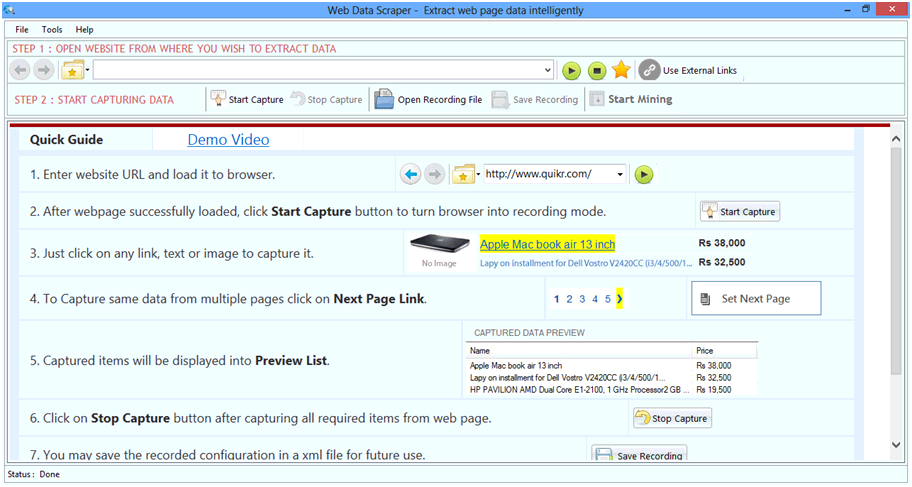
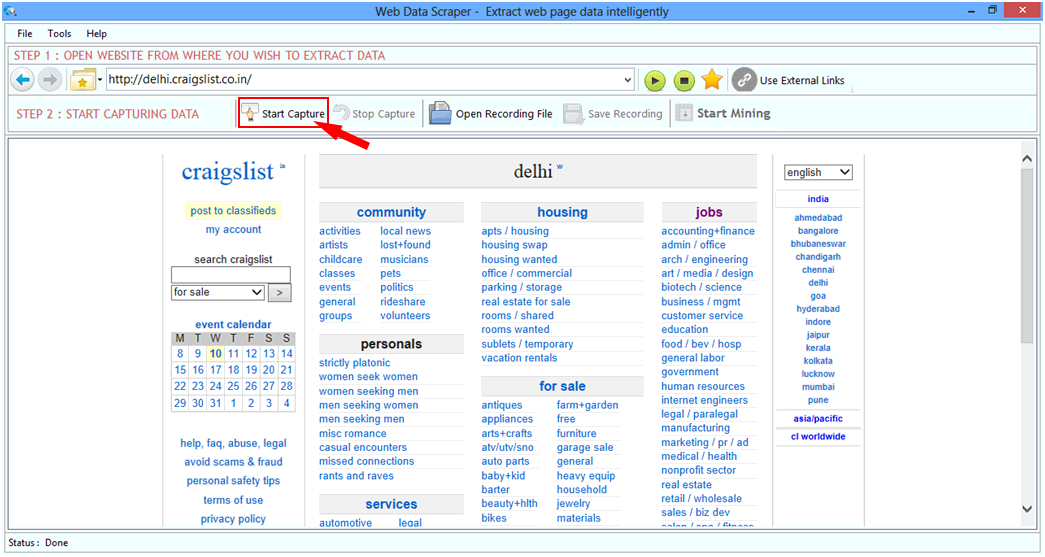
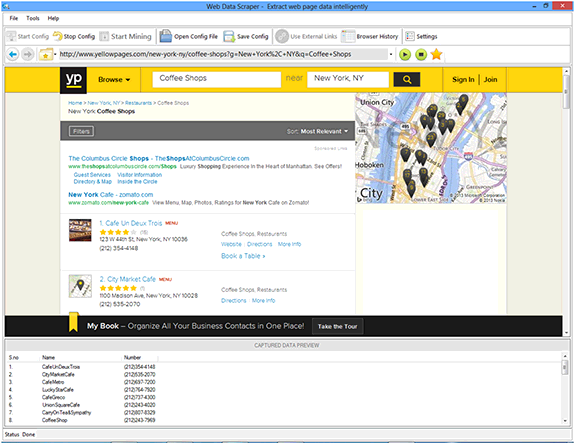
 Enter the website URL and wait for loading the browser. Once the website is opened which have data
to be scraped you have to click on Start Capture button.
Enter the website URL and wait for loading the browser. Once the website is opened which have data
to be scraped you have to click on Start Capture button.
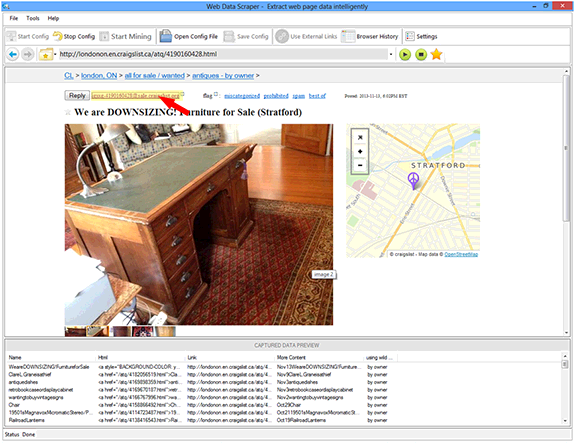
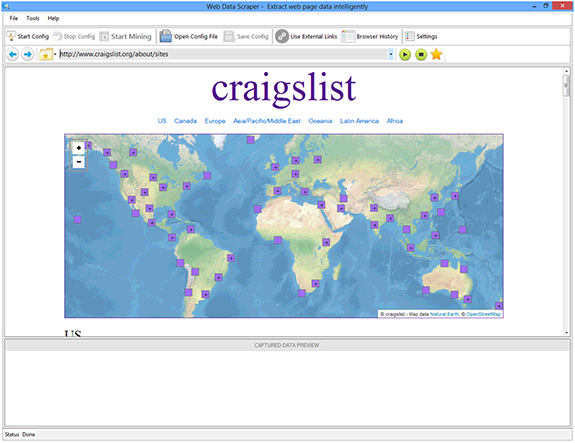 After star capture you have to click on item which you want to scrap from webpage. Web Data Scraper
tool scrap the clicked item or similar item from opened webpage.
After star capture you have to click on item which you want to scrap from webpage. Web Data Scraper
tool scrap the clicked item or similar item from opened webpage.
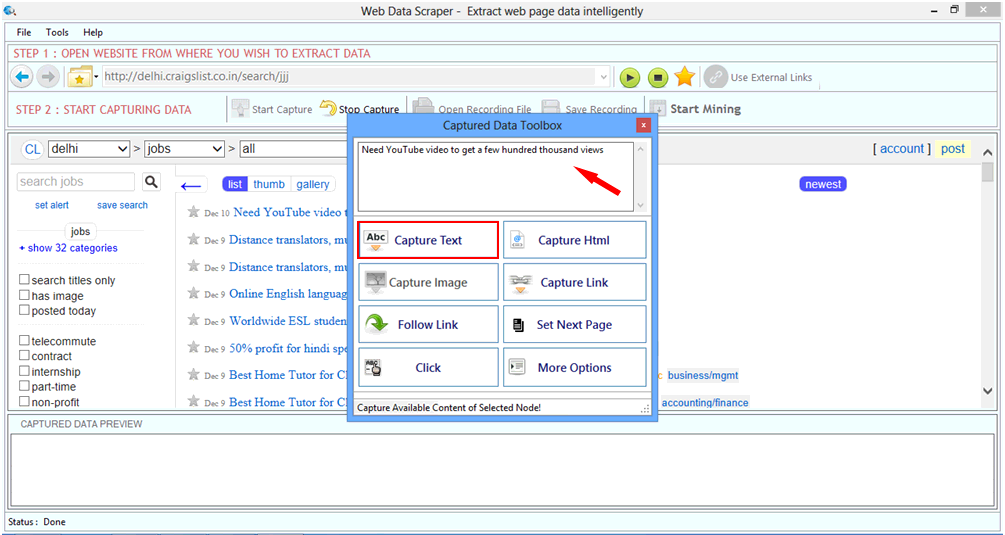
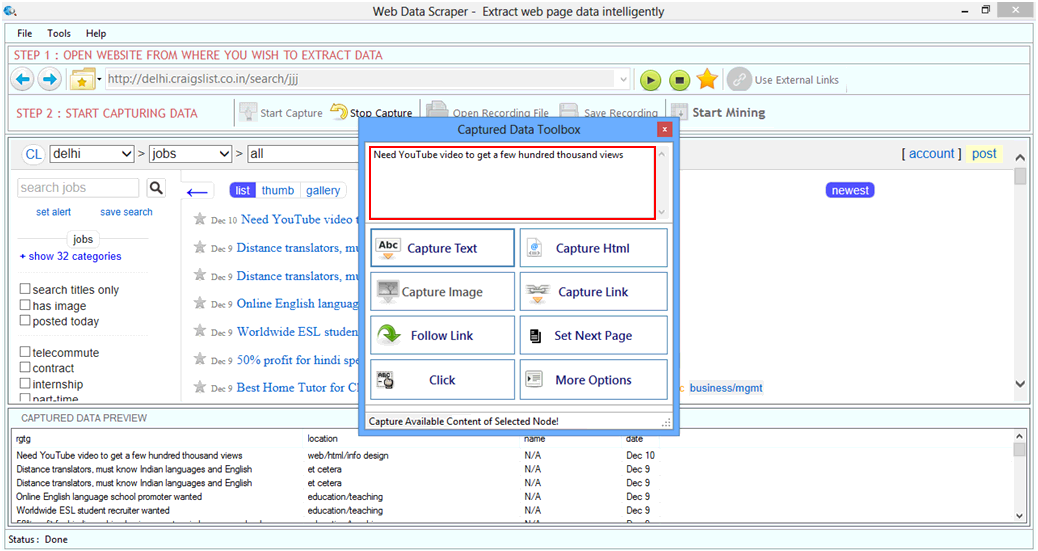
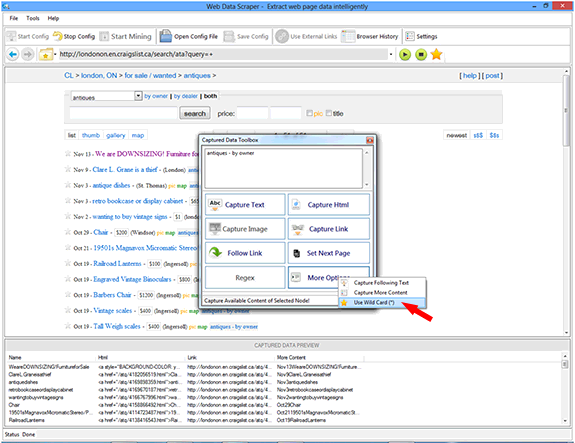
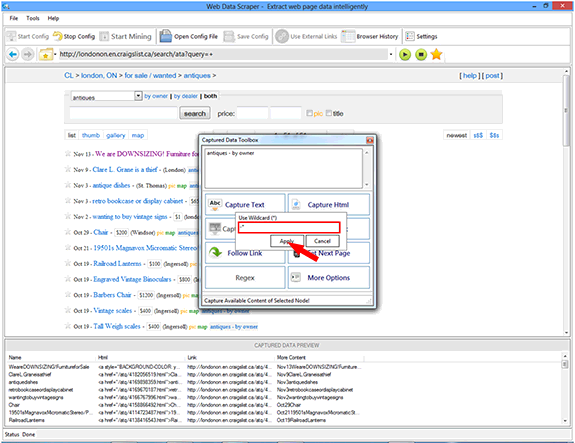
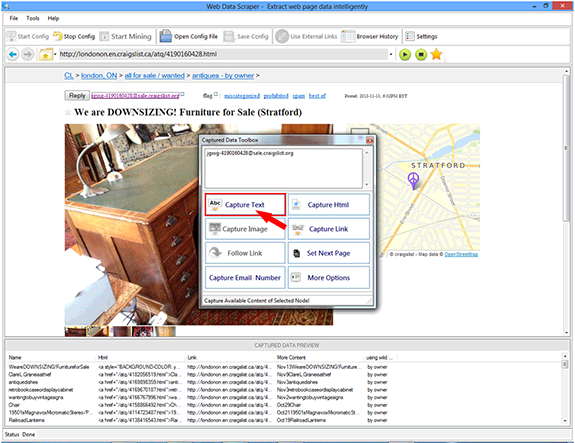
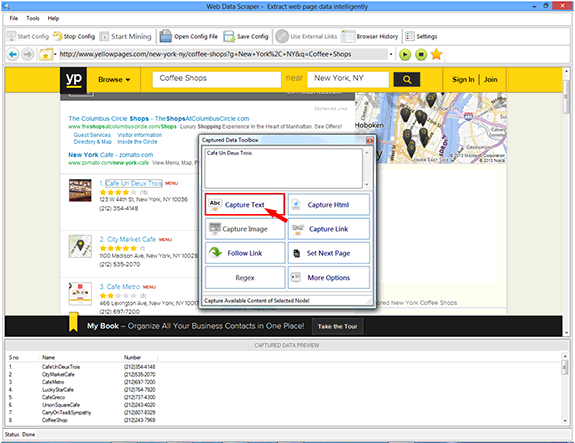
 Web Data Scraper has good features to scrap text, html, Image and link from webpages, On Captured
Data Toolbox window you can select options to scrap type of data. For example we select Capture Text
and clicked on Capture Text button.
Web Data Scraper has good features to scrap text, html, Image and link from webpages, On Captured
Data Toolbox window you can select options to scrap type of data. For example we select Capture Text
and clicked on Capture Text button.
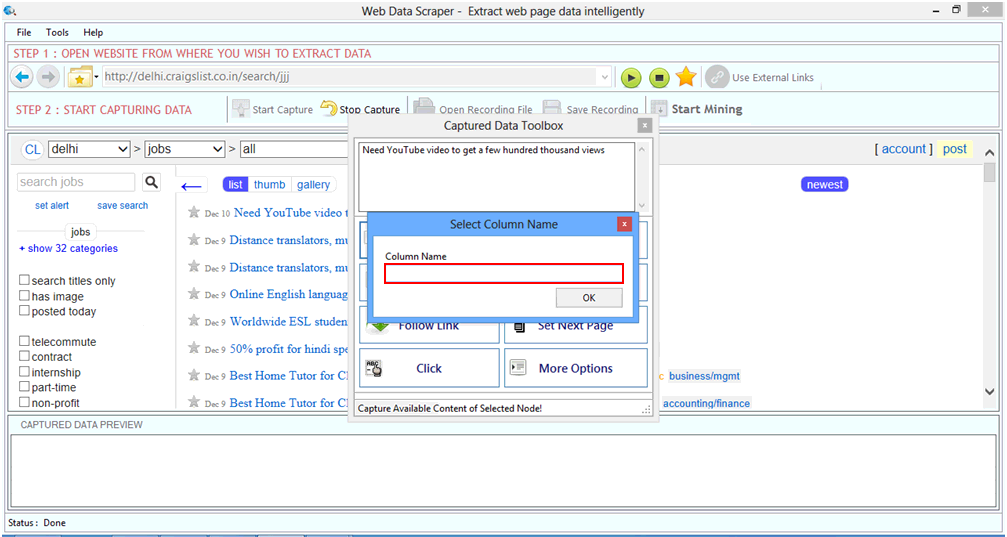
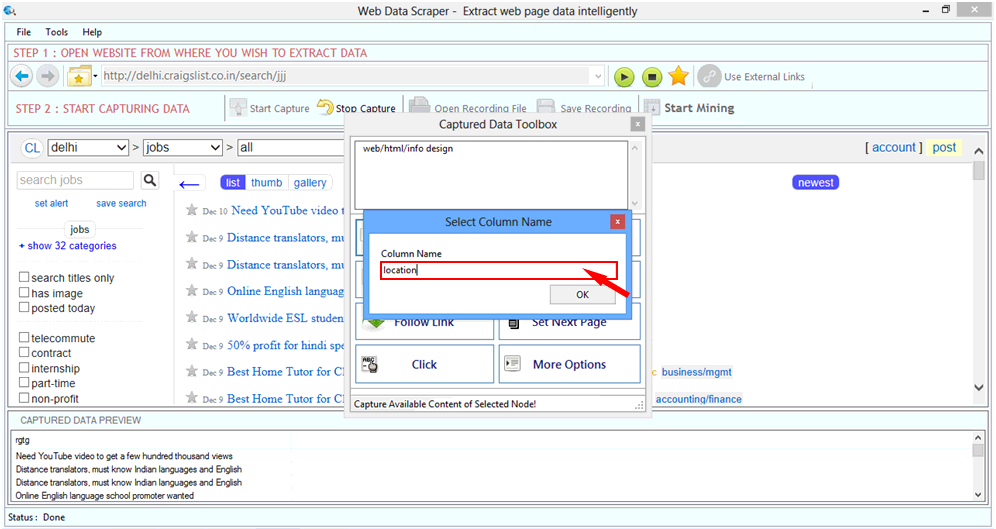
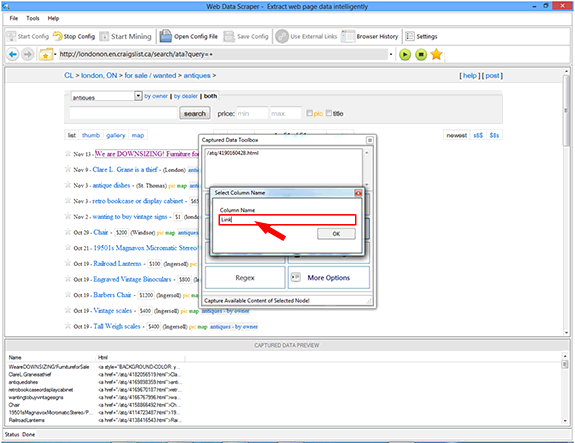
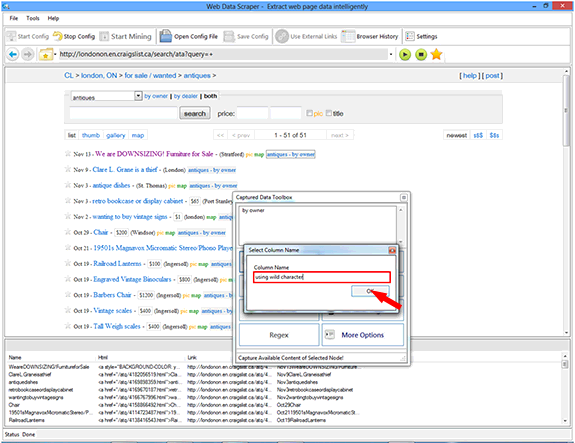
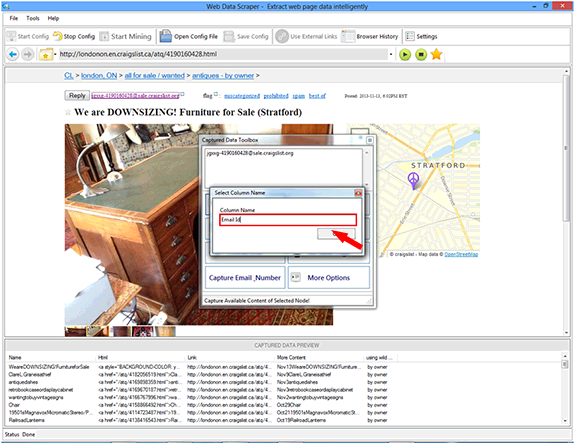
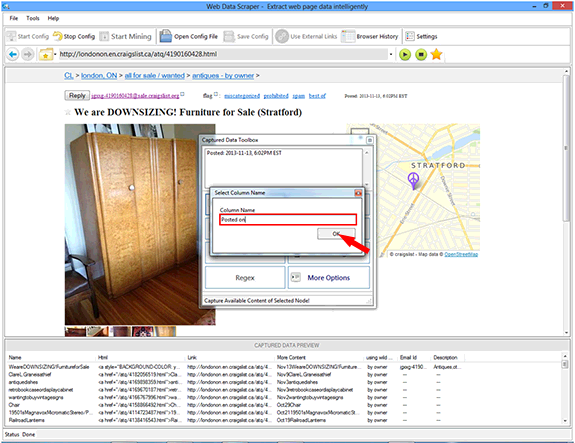
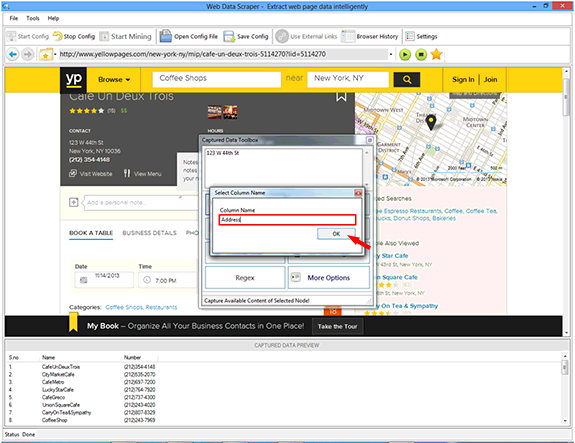
 You can specify the Column Name for data item to be scraped and will show in Captured Data Preview
List after click on Ok button.
You can specify the Column Name for data item to be scraped and will show in Captured Data Preview
List after click on Ok button.
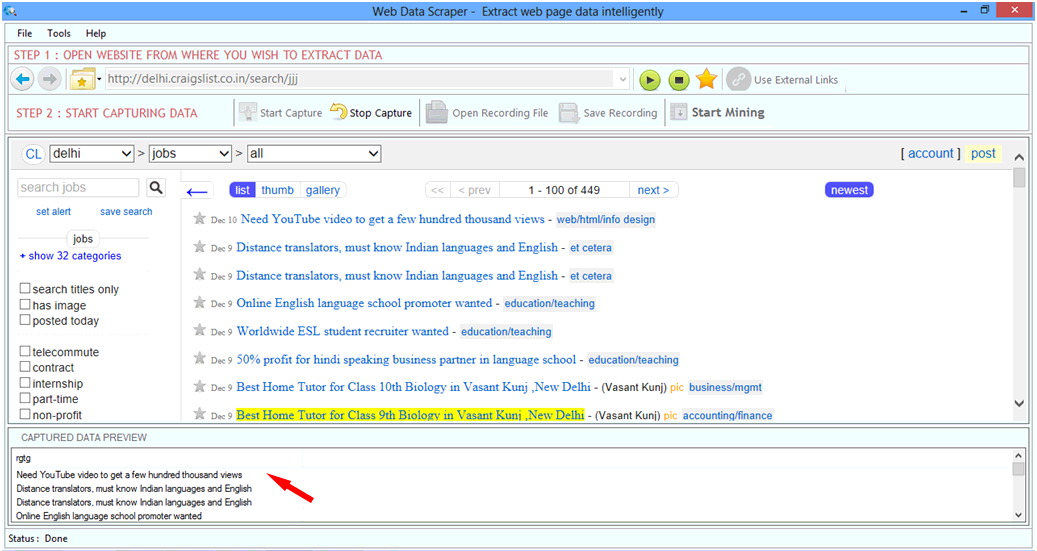
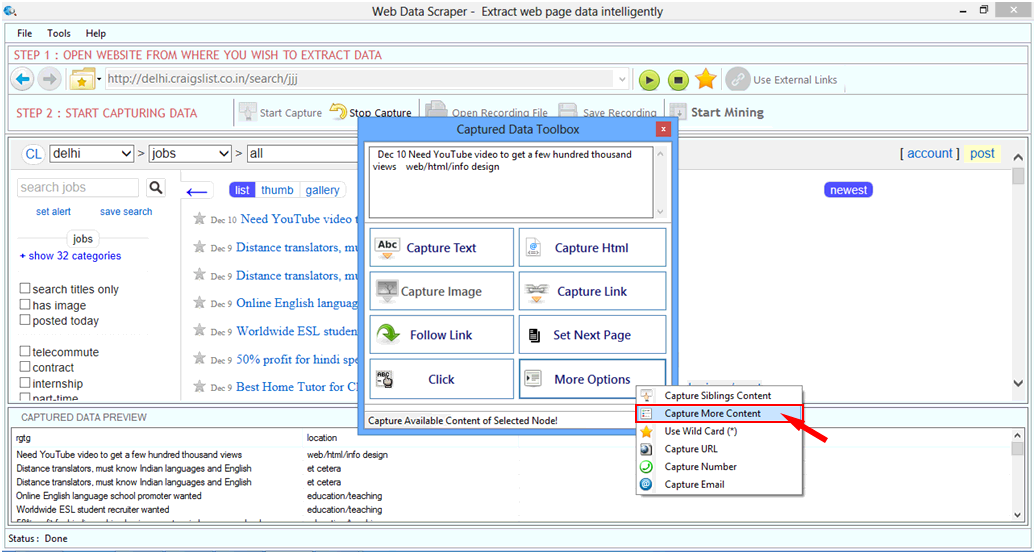
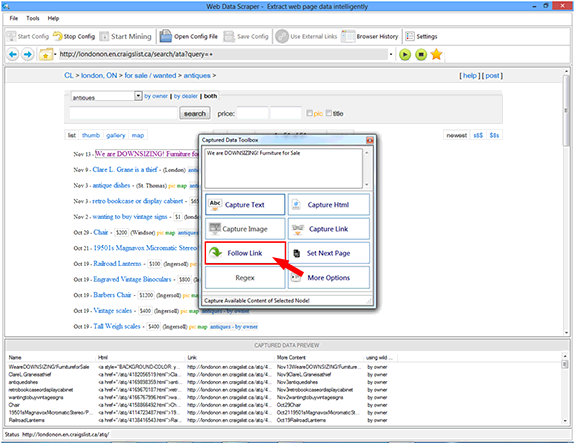
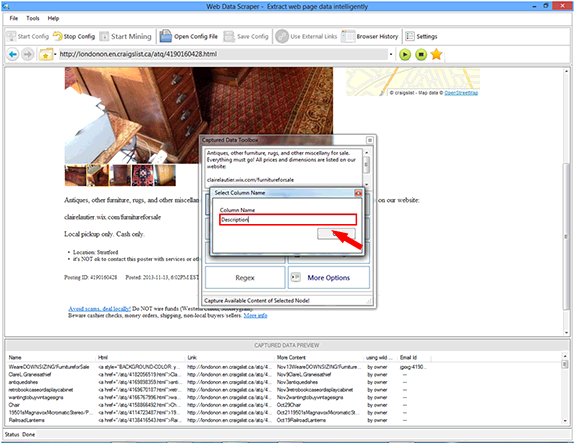
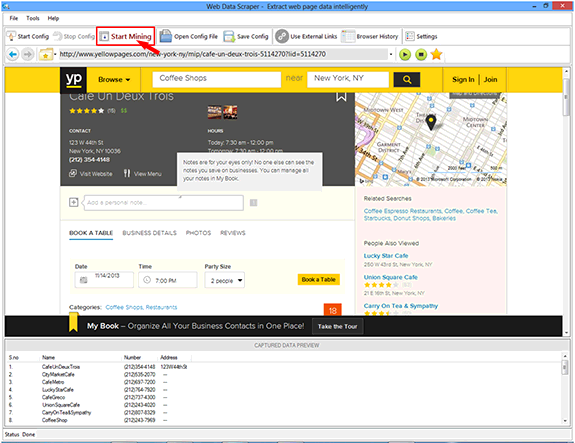
 Web Data Scraper automatically identifies the similar item and added into to captures data preview
list in given column name. By similar process you can scrape more data from webpage.
Web Data Scraper automatically identifies the similar item and added into to captures data preview
list in given column name. By similar process you can scrape more data from webpage.
 Stop Capture
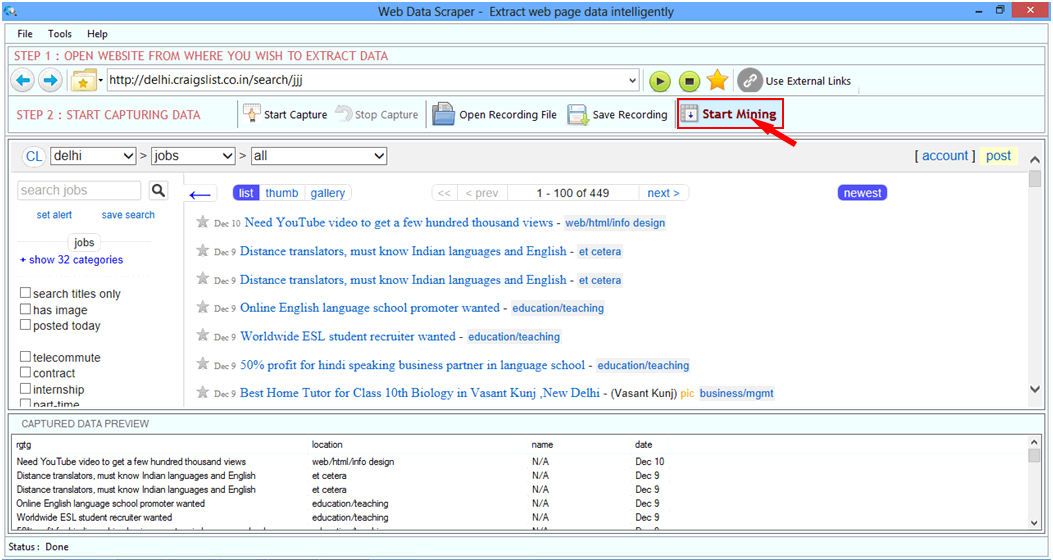
After capture you need to Stop only then you can Start Mining.
Stop Capture
After capture you need to Stop only then you can Start Mining.
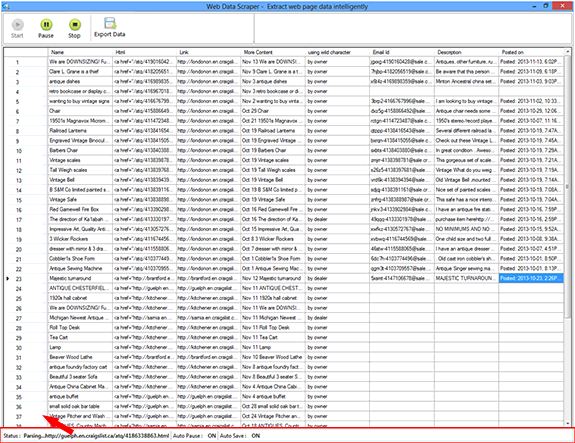
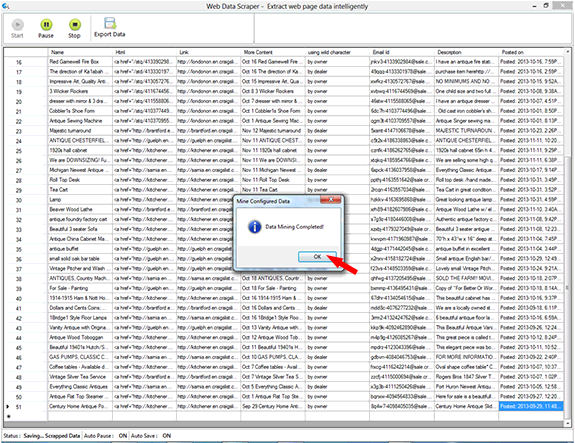
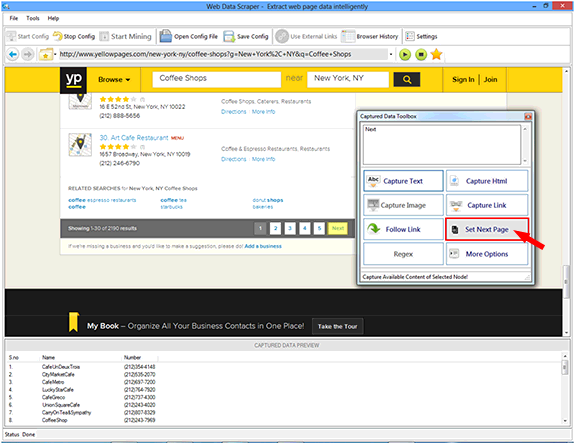
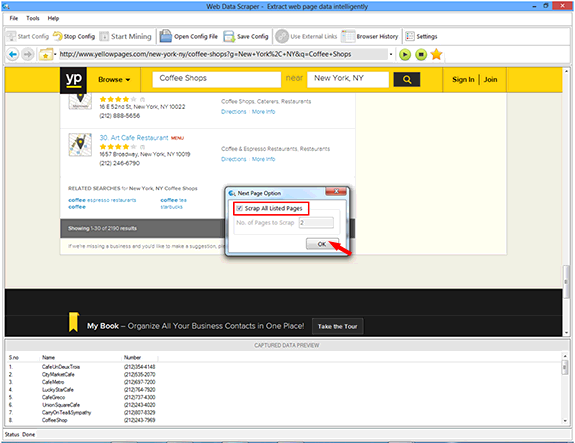
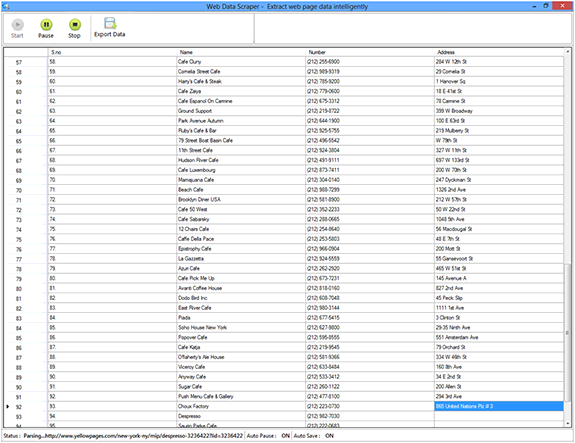
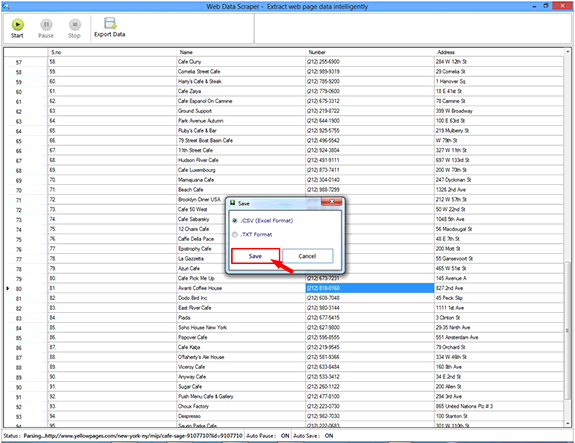
 You can pause and stop the process at mining time. After the mining is complete you can save the
mining data to Excel (.csv) file or Text file.
You can pause and stop the process at mining time. After the mining is complete you can save the
mining data to Excel (.csv) file or Text file.
Copyright © 2019 Technocomsoft | Powered by Technocom Solutions
↑